 Castellan





The Porter
HouseholdWorks on its own, within what you allow
Shows what's new on your PC, and checks who made it.
Lists what arrived since the last look (downloads, startup entries, scheduled tasks, services, listening ports, installed programs), checks who signed each one, and flags what needs a look. It only reads: it never blocks or removes anything.
The porter kept the household's gate and knew who came and went.
Download the free trial7 days, no cardOn an Arm PC (Snapdragon)? Get its setupEdge may say it isn't commonly downloaded: Castellan is new. Hover over the download and choose … > Keep, then ▾ by Delete > Keep anyway.See the pricesIn Household and Workshop
How it works
Since the last look
- Program: PhotoTool 2.1
- Startup entry: UpdateHelper
- Scheduled task: NightlyClean
- Service: RemoteAssist
- Listening port: 5040
Porter checked
- PhotoTool 2.1A photo editor · signed, matches
- UpdateHelperKeeps PhotoTool up to date · signed
- NightlyCleanSigned by its maker
- RemoteAssistNot signed · needs a look
- Port 5040New, and listening · needs a look
An example: the names and numbers are made up.
With Workshop, the Toller takes the office and the Porter keeps working behind it.
 Toller Watches what comes into your projects, and finds keys and passwords left in the open.
Documentation
What's new
Every release0.5.101 ·
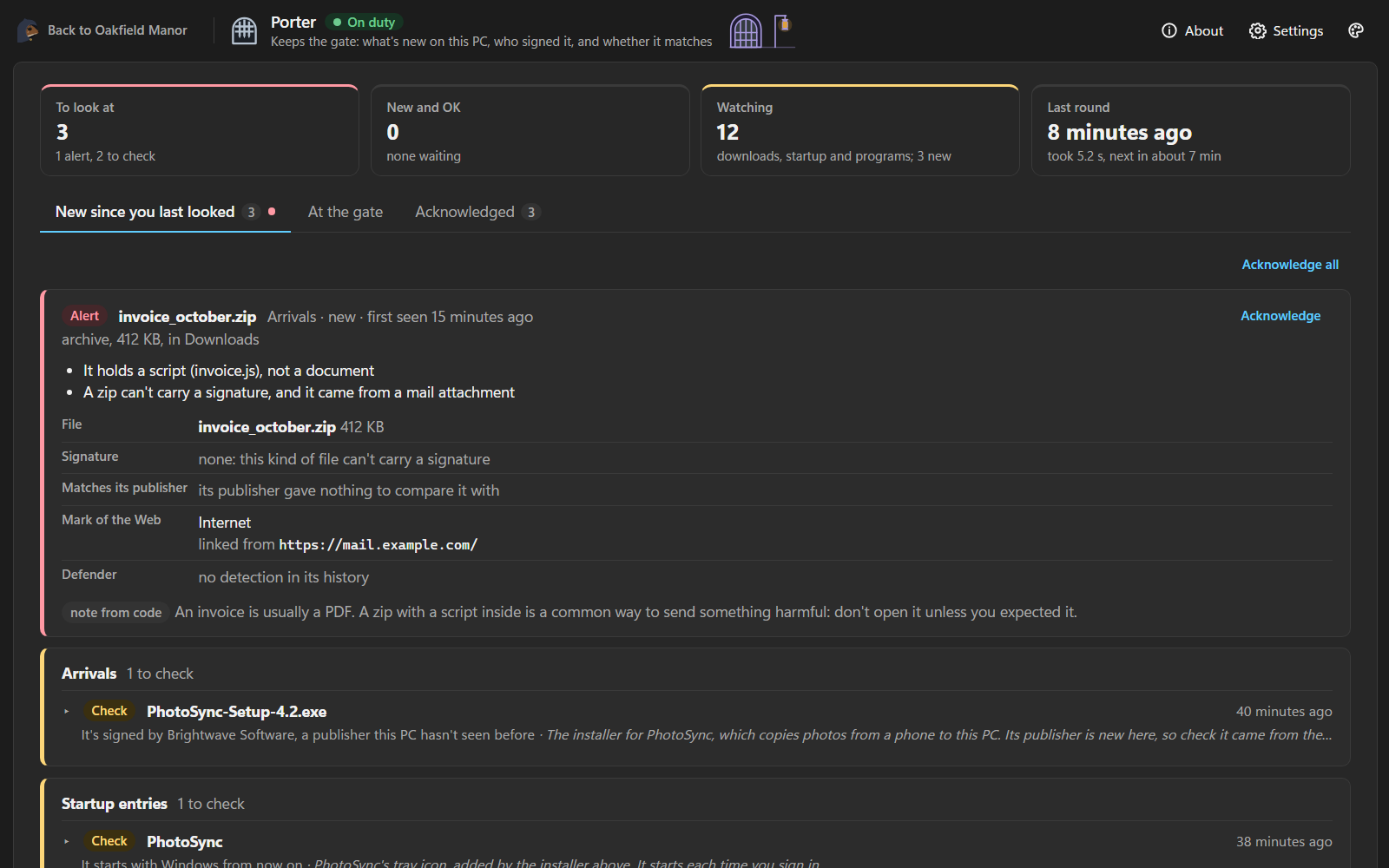
The Porter's page, laid out for a wide screen: what needs a look first, and a chart of what came in.