 Castellan





The Clerk
Makes your screenshots and scans searchable, and reads 97% of their lines right. Windows' own reads 59%.
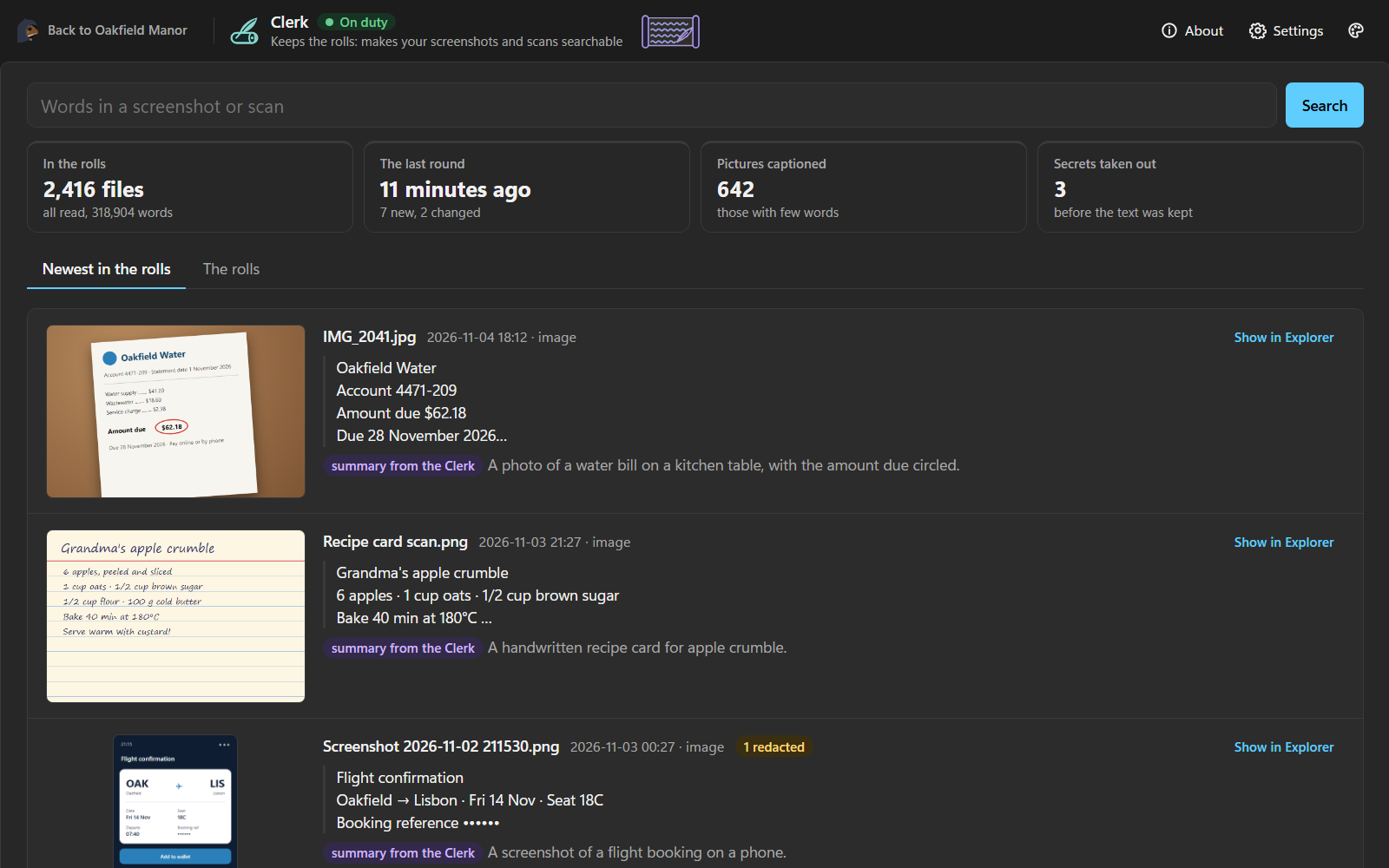
Reads the text in your screenshots and scanned documents on your PC, with our own text-reading model where your PC runs it (97% of lines exactly in our check, where Windows' own reads 59%), and keeps it in a search page, so a picture can be found again by the words in it, even a word read with a letter wrong. The local AI captions pictures with almost no text, so they can be found by what they show. With Game screenshots on (on a gaming PC, it is from the start), it keeps the screenshots Xbox Game Bar, Steam, NVIDIA and AMD save in a gallery by game, and on a PC with an NPU the local AI describes each in a sentence, so "boss fight" finds it too.
The clerk wrote the manor's court rolls and kept its accounts.
How it works
- Screenshot 2026-10-02 141233.png
- Scan 0042.pdf
- Screenshot 2026-09-18 090112.png
- IMG_4821.png
- Screenshot 2026-10-02 141233.png“Boarding pass · Gate 14 · 09:40”
- Scan 0042.pdf“Boarding pass · Seat 22A”
- IMG_4821.pngCaption: a boarding pass on a phone
An example: the names and numbers are made up.
Documentation
What's new
Every release0.10.0 ·
A PC with no NPU, such as a gaming desktop, can have Clerk on another of your PCs read and caption its pictures.