 Castellan




The staff · The Steward

The Steward
Cellarer
Your photos, videos, documents and game saves backed up, and checked that they restore.
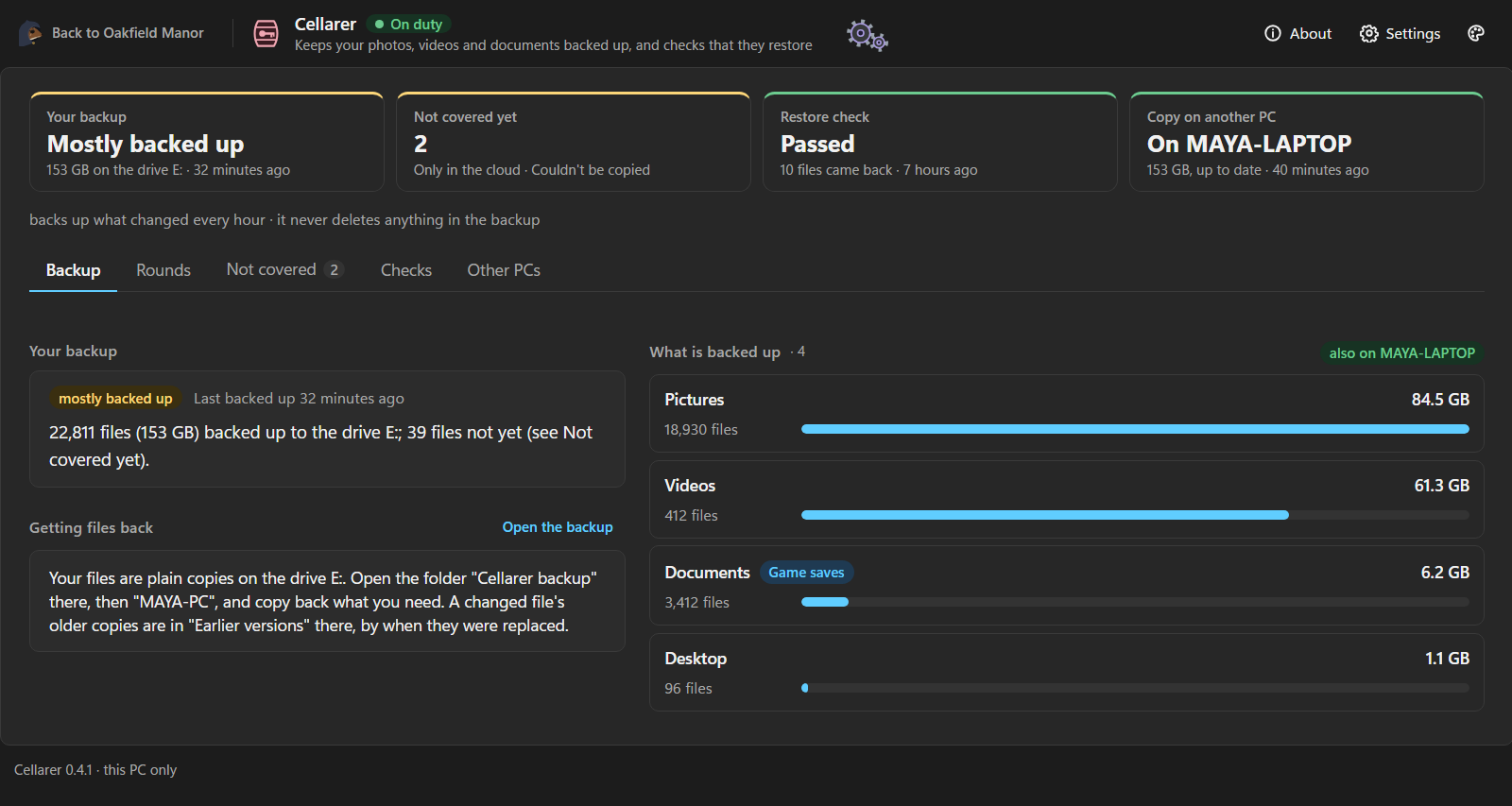
Backs up the folders you choose to a drive or folder you pick, copying only what changed, as plain copies you can open and copy back. On a gaming PC it keeps the saves game launchers don't back up to their clouds too: Saved Games, and My Games in Documents. It never deletes anything in the backup, and now and then restores a few files to check they come back as they were. Have a second PC? It can keep a copy of your backup there too.
The steward ran the household and its servants, and saw that nothing laid by was lost.
How it works
- Pictures12,480 files
- Documents3,112 files
- Videos214 files
- Copied the 38 files that changedTo Backup drive (E:), as plain copies
- Restored 5 files to check themThey came back as they were
- Nothing deleted in the backup
An example: the names and numbers are made up.
With Workshop, the Steward takes the office and the Cellarer keeps working behind it.
 Steward The local release manager for your projects.
Documentation
What's new
Every release0.4.0 ·
Brings 2 changes: The damage check: the Cellarer reads your backup again, file by file, and catches damage before you need the file; Keep a folder the same on two of your PCs: compare them side by side, then sync either way, the whole folder or one file at a time.